Windcatcher: A weather-based mobile game
Role
UX/UI designer
Timeline
One semester
Tools
Figma, Trello, GitHub, Android Studio
01 - Challange
The brief was open-ended: create an app related to the using weather data.
As a team, we wanted to explore how real-time weather could become part of something playful rather than purely informational. This led us to the idea of Windcatcher, a mobile game where users throw a paper airplane and see how live weather conditions affect its flight.
The goal was to create an experience that made weather data interactive, visual and fun
I worked with UX/UI design, prototyping, user testing, and visual design as part of a cross-functional student team.
My responsibilities included:
wireframing and prototyping
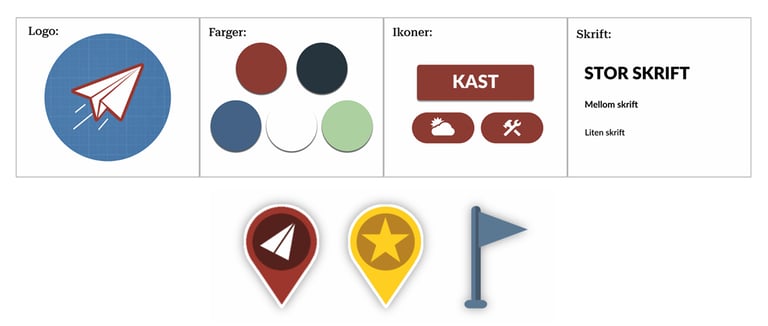
contributing to the app’s visual profile
planning and leading design workshops
gathering feedback through focus groups and user testing
iterating on interaction flows and interface details
collaborating closely with developers throughout implementation
02 - My Role
03 - Team & Process
The project was developed using ScrumBan, combining structured sprint work with flexible task management. We worked with sprint planning, stand-ups, reviews and retrospectives, using Trello to organize tasks and priorities.
The team also used a rotating Scrum Master role, giving each member shared responsibility for facilitation, coordination and progress throughout the project.
Since the team included both designers and developers, collaboration was central to the process. Early knowledge-sharing and regular working sessions helped us align on both technical constraints and design direction.
04 - Design Process
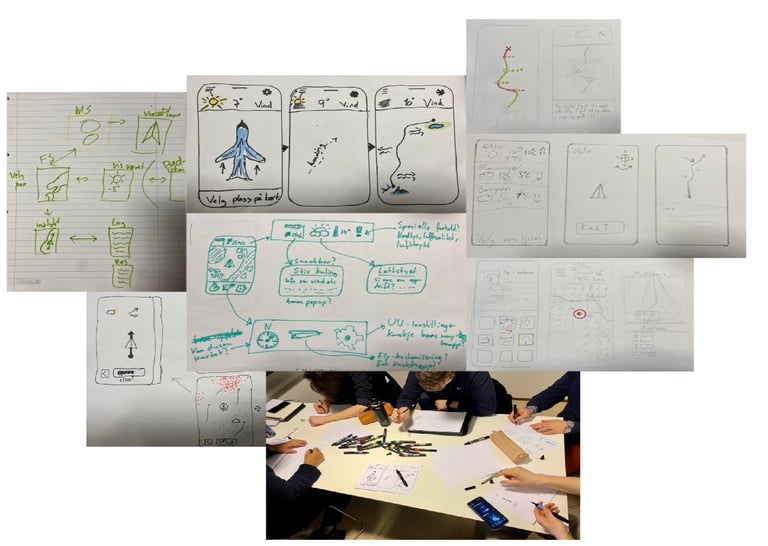
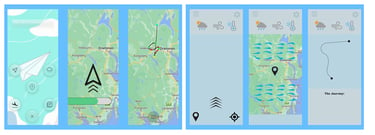
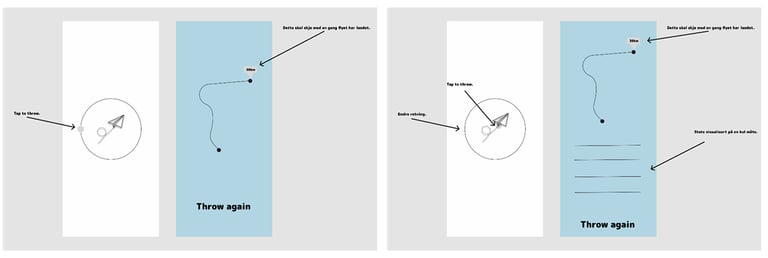
The design process started with idea development, wireframes and internal design workshops to align the team around the app’s core functionality and visual direction.
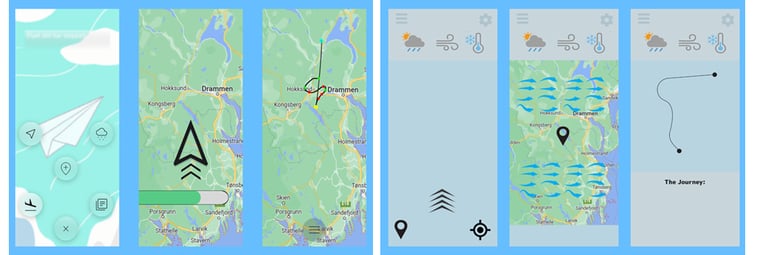
We then created low-fidelity prototypes to explore layout, navigation, map interaction and feedback after each throw. These prototypes made it easier to test ideas quickly and adjust the design before moving into higher-fidelity screens.
A key part of the process was balancing the app’s two sides: it needed to communicate real weather information clearly, while still feeling like a playful mobile game rather than a utility app.
05 - User Feedback & Iteration
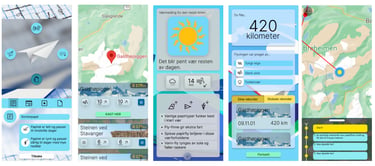
We organized a focus group with potential users to understand how they experienced the concept and interface. Feedback from the focus group influenced several design decisions, especially around visual style, clarity and how the game communicated weather impact.
Throughout the process, we also conducted user tests to evaluate the interaction flow and identify areas that felt unclear. This helped us refine the interface, improve feedback, and make the experience more intuitive.
06 - Final Product
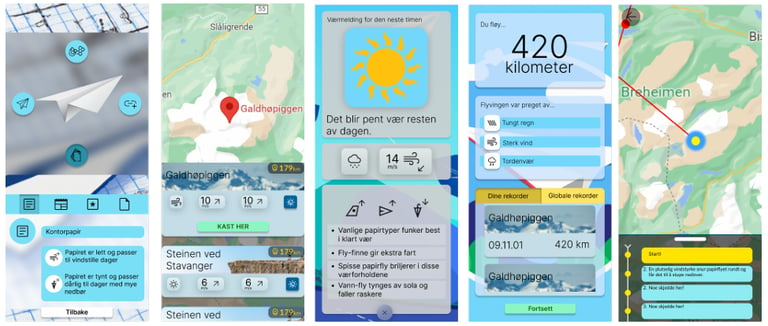
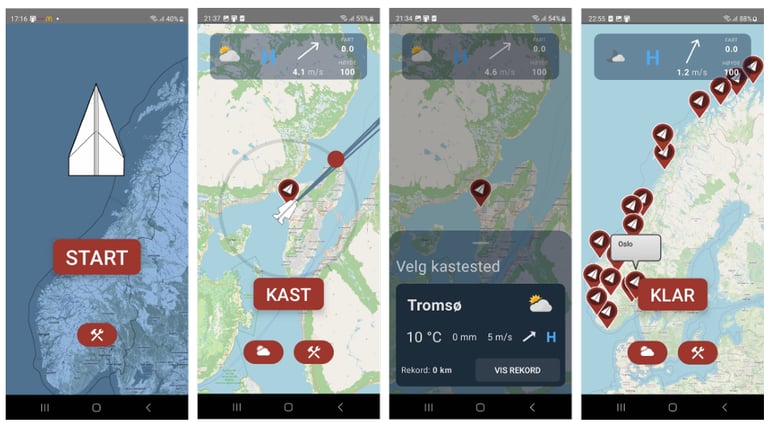
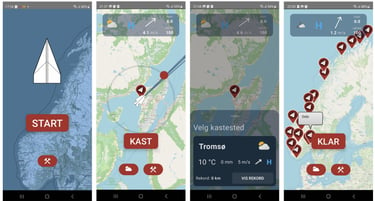
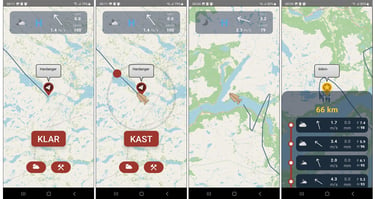
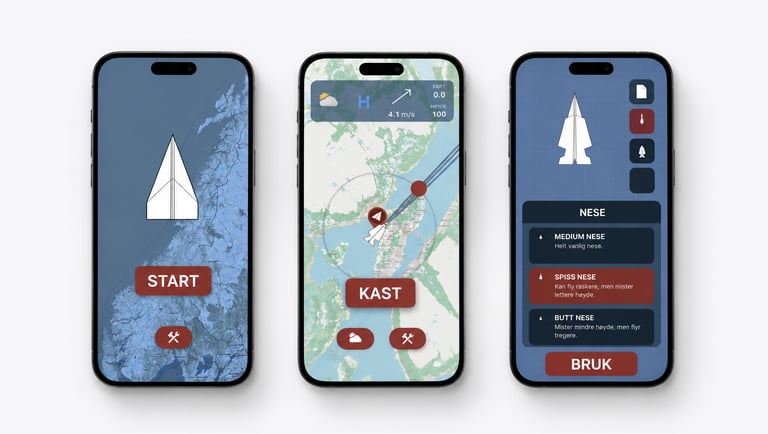
The final app combined live weather data, map interaction and game mechanics into a playful mobile experience.
Key features included:
location selection across Norway
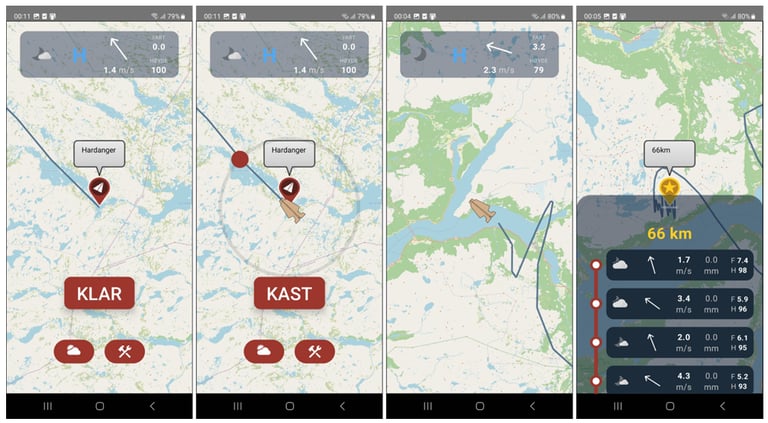
live weather information
direction-based throwing interaction
animated flight path on a map
flight summary and distance feedback
local record saving
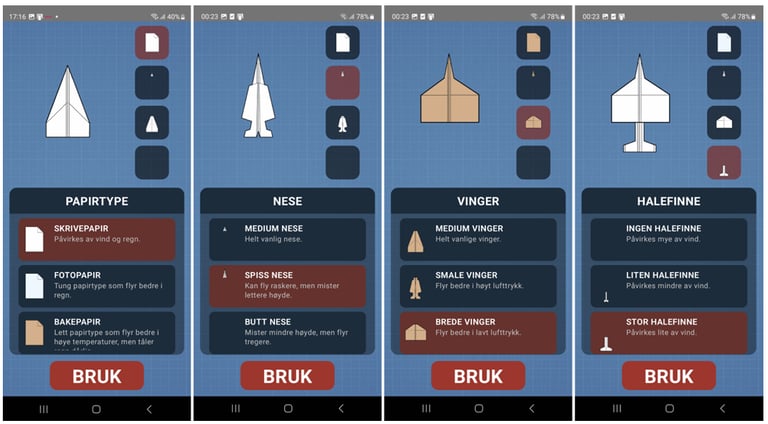
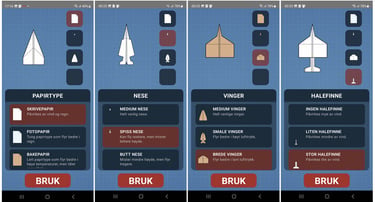
airplane customization
07 - Reflection
This project gave me experience designing an interactive product where UX, visual design, technical constraints and real-time data had to work together.
It strengthened my ability to collaborate with developers, communicate design decisions, and design playful interactions around complex information. The ScrumBan process also gave me practical experience working in an agile team with shared ownership and iterative delivery..
Contact
Phone
sarahamundsen00@gmail.com
+47 480 678 67